
Your next Agentic IDE
Your agents need
a better terminal.
Normal terminals run commands. 2code also manages projects, worktrees, and agents.
If you bounce between agents, dev servers, and multiple worktrees every day, 2code is worth a download.
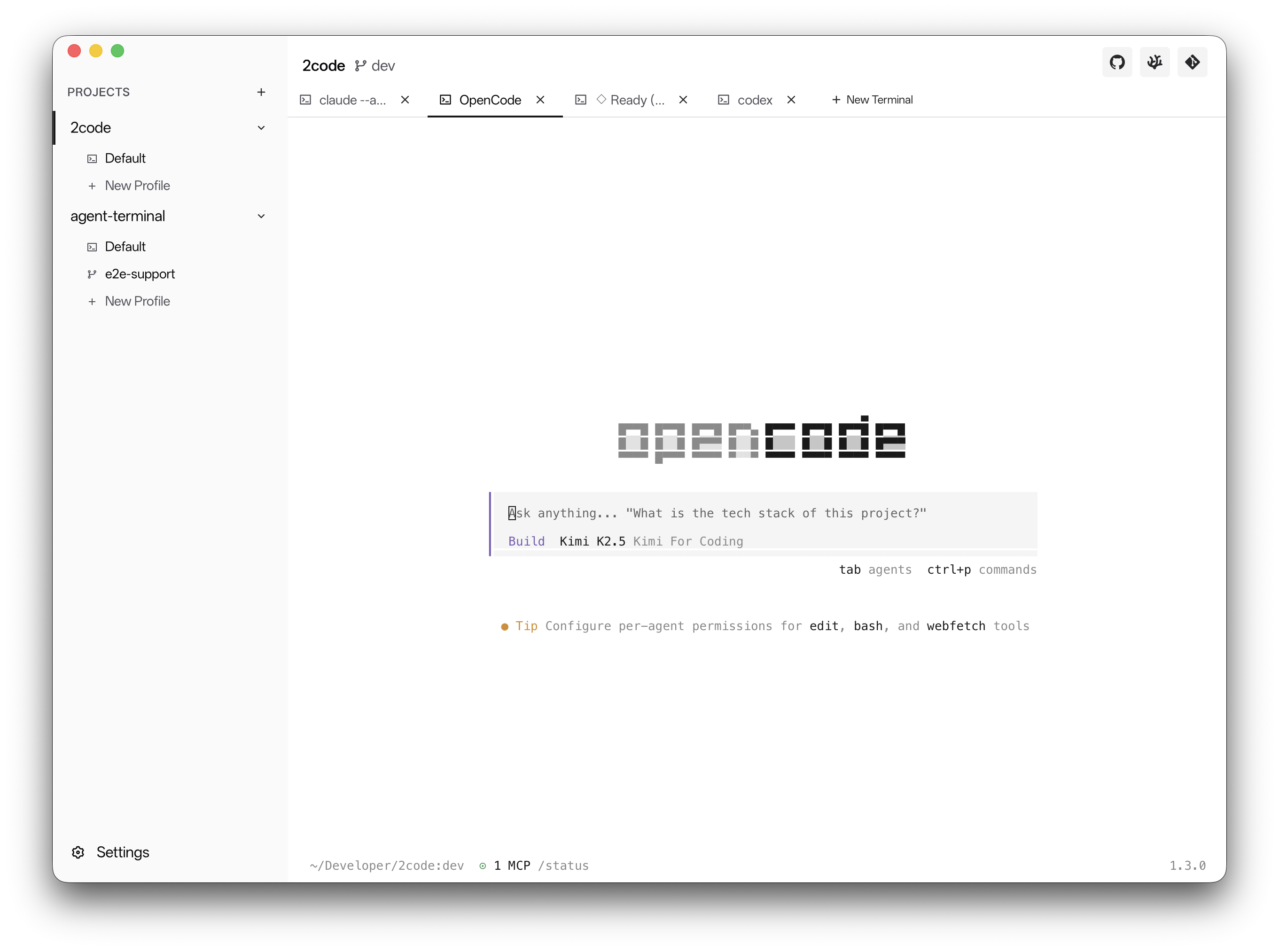
Return to the terminal you left behind.
2code keeps terminal sessions, layouts, and history around after restarts. Reopen the app and get back to the same working state instead of rebuilding your setup.
- Restore terminal history and workspace layout after restart.
- Keep long-running sessions tied to the project they belong to.
- Return to work without reopening every command by hand.
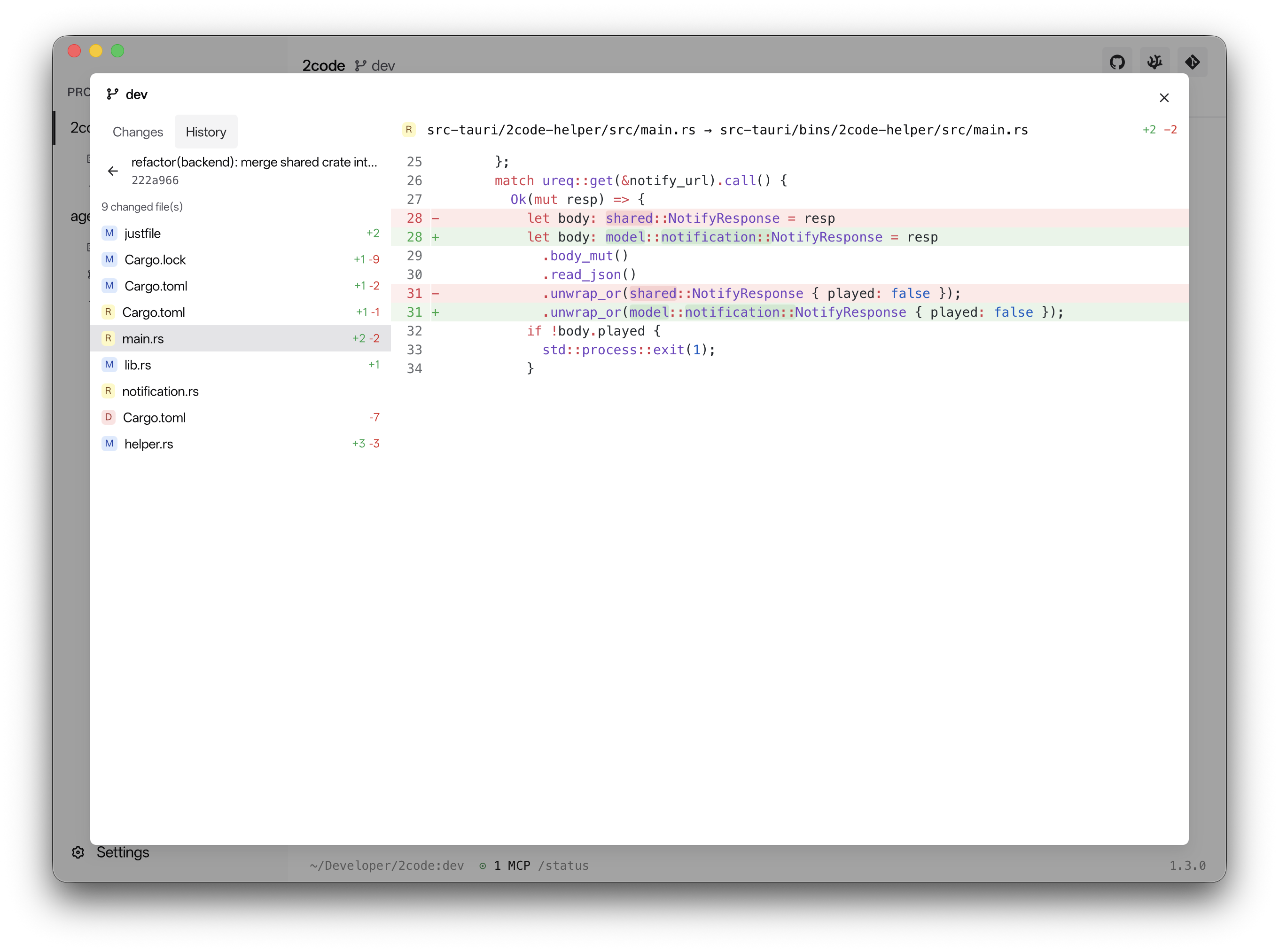
Edit files and review changes in place.
A file tree and lightweight editor handle quick changes without an app switch. The simple git client keeps diffs and commit history close by, so reviewing what changed stays part of the terminal workflow.
- Browse files beside the terminal and make small edits quickly.
- Review diffs without jumping to a separate git app.
- Open commit history when you need to check how a change evolved.
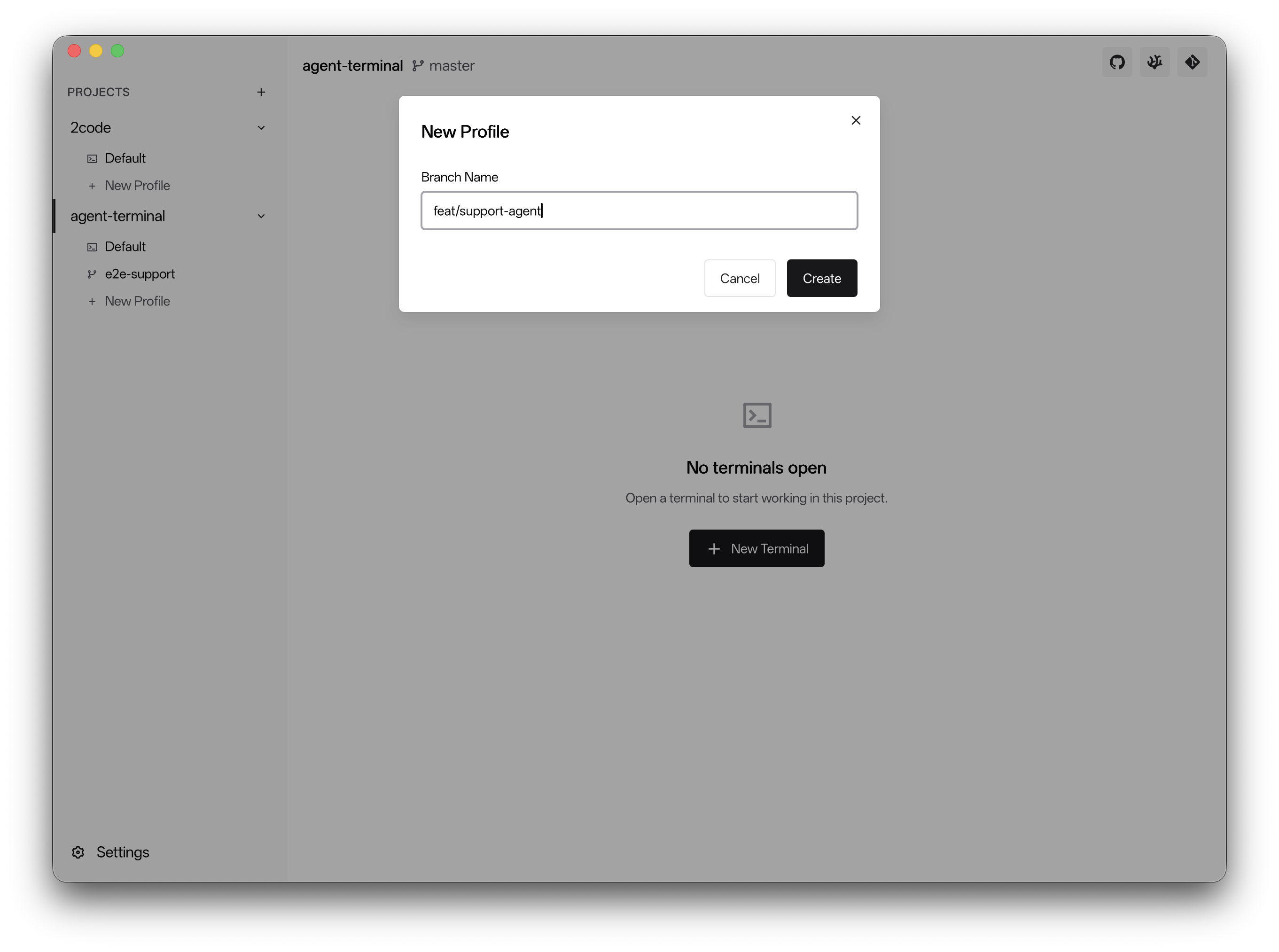
Keep each task in its own lane.
Open each project or worktree in its own window when you need separation. Every lane keeps its own terminals and context, so switching between tasks stays clear instead of turning into a tab hunt.
- Open multiple windows for different projects or worktrees.
- Keep terminals from one task away from another task.
- Switch back later and see the same context you left there.
FAQ
What 2code adds to a normal terminal.
Who is 2code for right now?
Developers who live in terminals, work across multiple projects or worktrees, and want agent runs, dev servers, git review, and quick edits in one place.
Is 2code a real terminal emulator?
Yes. 2code is a full terminal emulator first, then adds project and worktree management, built-in tools, notifications, templates, and session restore around it.
How does it help with AI agents?
Agent work is easier to monitor because 2code can show a green dot and play a sound when an agent finishes. You do not have to keep staring at every terminal pane.
What are command templates for?
Templates let you quickly open command-line apps and recurring project commands, such as Claude, a dev server, or a custom script you launch all the time.
What happens after restarting 2code?
2code restores your previous workspace so projects, worktrees, windows, terminals, and history can come back close to where you left them.
What platforms does it support?
macOS is the most mature build. Windows and Linux support is experimental and improving.
Is 2code production-ready today?
It is still evolving. macOS is the primary target today, with experimental Windows and Linux support now available for testing.
Try the latest build and see how 2code fits your terminal workflow.
Download for macOS